

Which ECU programmer should you choose so that, a few months down the line, you don't discover it lacks support for the control units that regularly come into your workshop? Don't look only at the number of cars in the catalogue or the price of the device. Check the specific ECUs and TCUs, the available communication modes, the Master or Slave model, the update terms, and the options for making backups and recovering a control unit after a write failure.
Key information:
- Choose a programmer based on specific ECUs and TCUs, not just car makes. The same car model may come with different control units depending on the engine, model year, market and software version.
- OBD, Bench and Boot are not three names for the same operation. They differ in how the control unit is accessed, the scope of possible reading and the level of intervention required. [4][5]
- Master and Slave correspond to different working models. In a Master configuration, you can work on unencrypted files within the capabilities of the given system. A Slave is usually tied to a selected Master or file provider. [1][3][5]
- The purchase price of the hardware doesn't reflect the total cost of ownership. Activations, subscriptions, cables, additional protocols, manufacturer services and future expansions all matter.
- A professional car programmer is no substitute for diagnostics or calibration software. Reading a file from the ECU is only one stage of the entire process.
Which ECU programmer should you choose for your workshop?
The best starting point is a list of the cars and control units you actually intend to work on. Only then should you compare devices.
Popular systems such as Alientech KESS3, Magic Motorsport Flex and AutoTuner support many ways of communicating with control units. However, manufacturers develop their protocols independently. This means that a programmer that is a great fit for one workshop profile won't necessarily be as practical for another. [1][3][4]
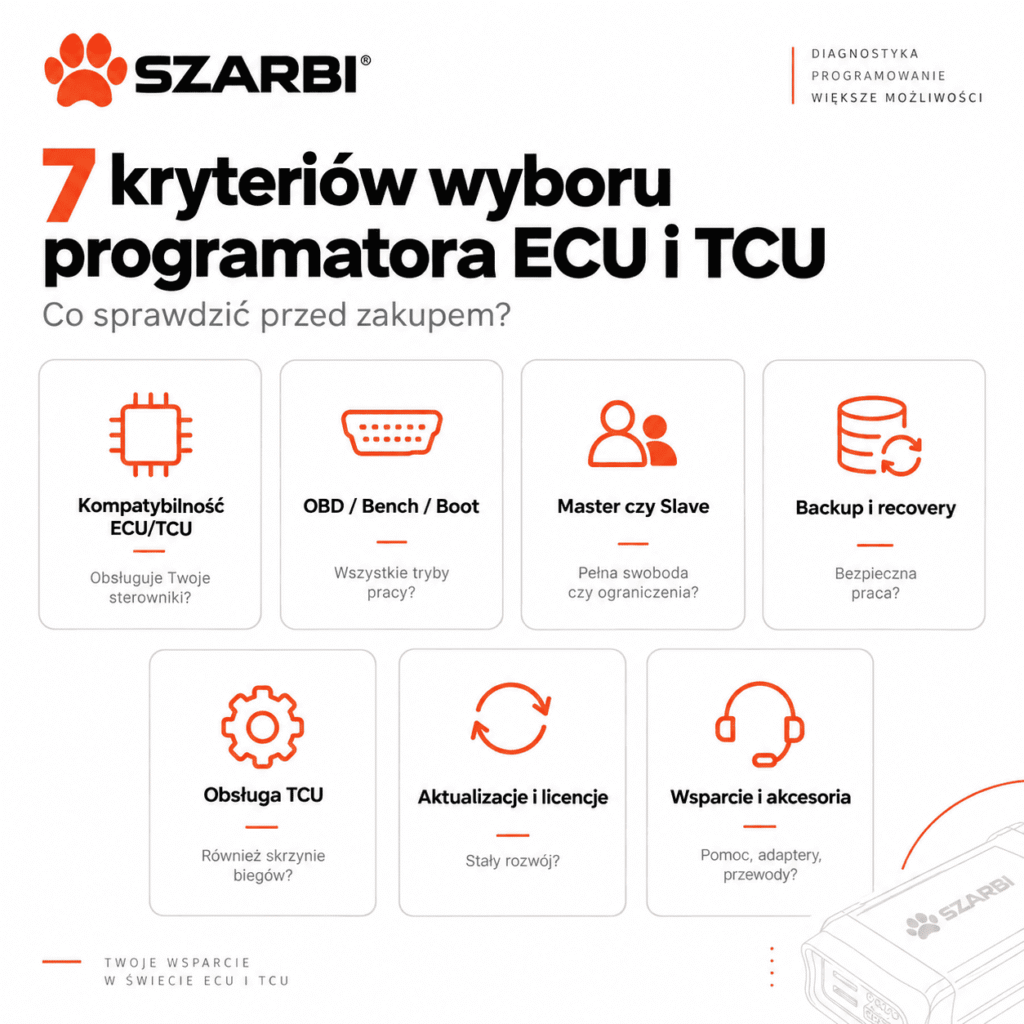
If you mainly work on popular passenger cars, your requirements will differ from those of a workshop handling new Bosch MG1/MD1 ECUs, DQ500 gearboxes, trucks, agricultural machinery or motorcycles. That's why you should analyse seven criteria before buying.
1. Does the programmer support the ECUs and TCUs you actually work with?
The list of supported control units should be the first criterion when choosing an ECU programmer. It's not enough to know that the device supports BMW, Volkswagen, Mercedes-Benz or Ford.
What counts is the specific control unit.
In practice, during verification check, among other things:
- the control unit manufacturer,
- the ECU or TCU family,
- the processor type,
- the control unit version,
- the available communication method,
- whether real or virtual reading is possible,
- the scope of writing,
- whether a backup can be created,
- the functions available for the specific protocol.
Alientech explicitly recommends using the current Vehicle List, where for a specific application you can check, among other things, the control unit, available protocols and OBD, Bench or Boot connection modes. [2]
This is more important than the number of entries quoted in marketing materials.
If in a typical month you mainly work on control units from the Bosch EDC17, MD1 and MG1 groups and selected TCUs, start with those. Review 20–30 real cases from your workshop's history and see which ecosystem covers them best.
In everyday workshop practice: a programmer supporting thousands of applications may be less useful than a device with a smaller catalogue if its list is missing precisely the control units that regularly turn up at your bench.
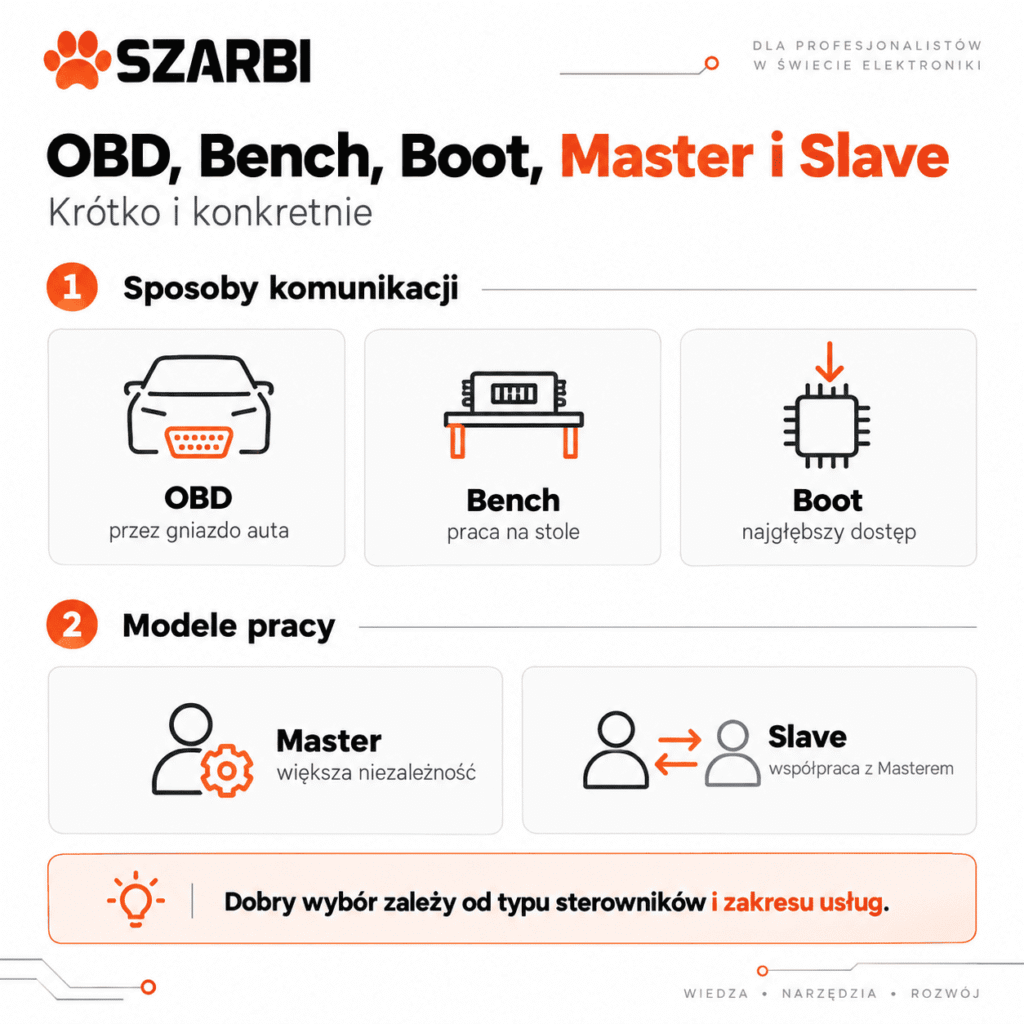
2. Do you need OBD, Bench and Boot?
For a professional workshop, it's worth choosing a programmer that offers several methods of accessing ECUs and TCUs, because not every control unit can be handled the same way.
What does OBD mean?
OBD lets you communicate with the control unit via the vehicle's diagnostic connector, provided the programmer manufacturer has prepared the appropriate protocol for the given ECU or TCU.
The advantage is that in many applications the control unit doesn't need to be removed. However, the scope of operations depends on the specific protocol. So don't assume that OBD writing automatically means a full memory backup is possible.
What does Bench mean?
In Bench mode, you work directly with the control unit outside the vehicle's standard communication network. The connection is made on the bench according to the pinout of the specific unit.
On many control units, Bench does not require opening the housing. However, the exact procedure always depends on the ECU design and the protocol provided by the tool manufacturer.
What does Boot mean?
Boot provides lower-level access to the control unit and, in many applications, requires opening the ECU and making specific connections to the board or processor. AutoTuner describes Boot precisely as a method that requires opening the control unit and making the direct connection needed for proper communication. [5]
On supported units, Boot can provide memory access that a basic OBD operation does not offer. For example, in the Flex update documentation for the Magneti Marelli 8GMC, the manufacturer distinguishes OBD writing from the Boot operation, in which a full backup is also available. [3]
However, this does not mean that Boot is always "better". You choose each operation based on the specific control unit and the purpose of the job.
| Mode | How does it work? | What should you check? |
|---|---|---|
| OBD | communication through the vehicle | read and write capability, required unlocking |
| Bench | direct ECU/TCU connection on the bench | pinout, required adapters, memory range |
| Boot | direct access, usually requiring the control unit to be opened | procedure, connection points, backup and recovery |
3. Should you choose a Master or Slave ECU programmer?
Master makes sense if you want to work independently with files, whereas Slave may be a simpler solution if you plan to outsource calibrations to a chosen provider.
This is one of the most important decisions when buying an ECU programmer as a beginner.
In the Flex system, the Master version works with unencrypted files that can be further edited. Slave uses encrypted files and is linked to the account of a specific Master. [3]
AutoTuner describes a similar model. The Master receives a binary file intended for further work, while the Slave is linked to a Master that can decrypt and modify its file. [5]
Alientech also offers KESS3 in Master and Slave configurations. The manufacturer describes Master as a solution that allows you to work with modified files, and Slave as a system that uses encrypted files received from the Master. [1]
When can Slave make sense?
If you are just developing your chiptuning service, you may not want to analyze and modify calibrations yourself from day one. In this model, the workshop performs identification and reading, while an external specialist prepares the file.
Before choosing Slave, however, be sure to check the rules for changing the Master. Each system has its own procedures and limitations. For example, the Flex documentation specifies particular conditions regarding linking a Slave to a Master. [3]
When is it worth considering Master?
Master is the logical choice if you want to:
- edit calibrations yourself,
- use different file providers,
- build your own calibration database,
- analyze read files in your own software,
- build your own Slave network in the future.
However, this does not mean that buying a Master automatically gives you the skills to calibrate ECUs. The programmer is used to communicate with the control unit. Proper map editing also requires knowledge of the specific ECU's strategy, the engine, the drivetrain and the calibration software.
4. Do you need a TCU programmer, or is ECU support enough?
If the workshop will also be modifying automatic transmission control units, check TCU support before buying the device.
Do not assume that an ECU programmer automatically supports the transmissions you are interested in.
Professional systems can cover both ECUs and TCUs, but the range of protocols depends on the specific package and the current application list. Flex is officially described by the manufacturer as an ECU and TCU programmer that supports OBD, Bench and Boot, depending on the application. [3]
AutoTuner also declares support for engine and transmission control units, as well as OBD, Bench and Boot modes. [4]
When choosing a TCU programmer, however, check the specific control unit families. If the workshop specializes in, for example, vehicles with DSG/DCT, the general statement "TCU supported" is too vague.
It is also important whether a given TCU can be read and written via OBD, Bench or Boot, and whether additional unlocking procedures are required.
5. Does the programmer allow you to make a backup and recover the ECU?
The ability to make a proper memory copy and access to recovery procedures matter more than a few seconds' difference in read time.
While programming an ECU, the write process may be interrupted. This can be caused by a problem with communication, power supply, the computer, the connection or the ECU itself.
That's why, before buying, check the following for the ECUs you're interested in:
- what type of read the device performs,
- whether it is a real or virtual read,
- whether you can make a full backup,
- which memories are saved,
- whether a recovery procedure exists,
- whether the ECU can later be handled in Bench or Boot,
- what manufacturer support looks like when problems arise.
Don't treat the term “backup” as a universal function that is identical for every ECU.
AutoTuner defines a full backup as a copy of ECU data covering its memories, and the manufacturer's documentation also shows the procedure for rewriting elements of such a copy for supported ECUs. [5][6]
However, the scope of the backup still depends on the specific ECU and communication method.
SZARBI expert advice: before you write your first modified file, check the recovery procedure for that particular ECU. The information “the device has recovery” is not enough if you don't know what recovery looks like for a given ECU after an interrupted write.
6. What do updates, licences and the total cost of a programmer look like?
Compare the total cost of several years of work, not just the price of the device on the day of purchase.
Manufacturers use different licensing models.
AutoTuner currently declares no subscription fee for updates to the main tool and free updates as part of its sales model. [4]
The Flex ecosystem includes software packages and subscriptions, and access to some new features or services may depend on the configuration and an active subscription. [3]
Alientech also uses activations and subscriptions depending on the features used and vehicle categories. The manufacturer states that the range of supported cars, motorcycles, trucks, tractors or boats depends on the selected activations. [1]
That's why, before buying, calculate not only the price of the device but also the cost of activating the vehicle categories you're interested in, additional protocols, adapters, cables, service renewals and any Master/Slave configuration changes.
Does no subscription automatically mean a cheaper programmer?
No. The cost has to be calculated for a specific way of working.
A tool that is more expensive upfront may have lower running costs. Another may require a smaller initial outlay but additional activations as the workshop grows.
Compare a period of at least 2–3 years.
7. What support, instructions and accessories do you get with the programmer?
A good ECU programmer for a workshop is not just a device, but an entire ecosystem of procedures, cables, pinouts, updates and technical support.
This is especially important for Bench and Boot.
Incorrectly connecting wires to the ECU won't be fixed by an expensive programmer. You need clear instructions, a correct pinout and properly equipped workstation.
Also check the contents of the kit.
AutoTuner states that its standard kit includes, among other things, an OBD cable, universal cables, accessories needed for Bench and Boot work, and appropriate workstation equipment. [4]
Other systems may use separately selected cables and adapters. That's why two seemingly similar prices do not always mean the same scope of hardware.
If you're just equipping your workstation, the programmer alone isn't enough. You also need the right setup to check the vehicle before and after the operation. At the SZARBI Store you will also find diagnostic tools, which can complement a workstation for working with automotive electronics.
How to compare popular ECU and TCU programmers?
There is no single device that will automatically be the best choice in every workshop. The comparison below primarily shows design differences confirmed by the manufacturers.
| System | What does the manufacturer confirm? | What to check before buying? |
|---|---|---|
| Alientech KESS3 | OBD, Bench, Boot; Master and Slave; various activations; additional diagnostic functions and DataLogger | specific activations, ECU/TCU on the Vehicle List, cost of the chosen configuration |
| Magic Motorsport Flex | ECU and TCU; OBD, Bench and Boot; Master and Slave; software packages | required licences, subscription, controller list and Master/Slave rules |
| AutoTuner | ECU and TCU; OBD, Bench and Boot; Master and Slave; no subscription for updates of the main tool | exact ECU/TCU compatibility and the accessories required for the specific job |
| Dimsport The Genius | OBD, Bench and OPEN; stand-alone device | activation structure, specific application list and how it works with the ECUs you are interested in |
Dimsport describes The Genius as a stand-alone device that works without the need for constant use of a computer and integrates OBD, Bench and OPEN modes. [7]
The table is not a ranking. Compatibility lists change with updates, which is exactly why they should be re-verified immediately before purchase.
Which ECU programmer is a sensible choice for beginners?
For a beginner, the working model they can actually handle safely matters more than the maximum number of features.
If you intend to read and write ECUs yourself but hand over file modification to an experienced calibrator, a Slave configuration can make getting started easier.
However, you must consciously accept dependence on the Master.
If you already have experience in calibration analysis, work with file-editing software and want greater independence, a Master will be the more logical solution.
On the other hand, don't buy a Master just because it is “more professional”. Access to the binary file alone doesn't tell you which maps are responsible for the torque model, boost, fuel pressure, ignition, lambda, thermal limiters or communication with the TCU.
The programmer reads and writes data. The correctness of the modification depends on the calibration process.
If you need a ready-made modification instead of preparing the calibration yourself, you can also check out ECU files. Before writing a file, however, you must always correctly identify the ECU, the software version and the technical condition of the car.
What can go wrong when choosing an ECU programmer?
The most common mistake is not buying the “wrong brand”. The problem is buying a tool that doesn't match your working model.
Example: a workshop buys a cheap Slave ECU programmer and, after a few months, wants to start editing files on its own. It then turns out that the files are encrypted, the device is tied to a specific Master, and switching to a different working model requires additional formalities or costs.
The second scenario is buying a device mainly based on OBD support. The first ECU that requires a more advanced Bench or Boot operation reveals the lack of the appropriate activation or equipment.
The third problem arises when a workshop looks only at ECUs, even though customers increasingly expect TCU work as well.
That's why a programmer is best treated as an investment in a specific workshop workflow, not a single chiptuning gadget.
Myth vs reality – choosing an ECU programmer
| Myth | What is it like in practice? |
|---|---|
| The most expensive programmer will handle everything | Each system has its own list of protocols and supported ECUs |
| If a device has OBD, Bench and Boot, it will handle every ECU in all three modes | Available methods depend on the specific ECU and protocol |
| Slave is a programmer for amateurs | It is a model of cooperation with a Master, also used by professional workshop networks |
| A Master automatically lets you modify maps correctly | A Master gives you more control over the file, but it doesn't replace a calibrator's knowledge |
| A full backup is available with every read | The range of memory that can be read depends on the ECU and the communication method |
| Only the price of the device matters | Activations, updates, accessories, subscriptions and support also matter |
How do you ultimately decide which ECU programmer to choose?
First determine the type of vehicles and control units, then your workshop's working model, and only at the very end choose a specific programmer.
A good approach is to prepare a list of several dozen ECUs and TCUs that you encounter most often or intend to work on. Then check them in the tool manufacturers' official databases.
Compare the way of working, the ability to make a proper data backup, access to Bench and Boot, the Master/Slave configuration and the total costs.
Only such a comparison answers the question of which chiptuning programmer is right for your workshop.
FAQ – which ECU and TCU programmer should you choose?
Choosing a device doesn't end with comparing a few manufacturer names. Below you'll find answers to the questions that most often come up before buying your first or next programmer.
Is one ECU programmer enough for a professional workshop?
It may be enough at first if it covers the control units your workshop works on most often. With broader specialisation, however, some businesses use several systems, because the protocol lists of different manufacturers are not identical.
Should an ECU programmer for beginners be a Slave?
Not always. Slave makes sense if you want to use files prepared by a chosen Master and don't need independent access to the unencrypted file. If you plan to do your own calibration, it's worth considering Master before buying.
Is an ECU programmer the same as map editing software?
No. A programmer is primarily responsible for communicating with the control unit, identification, and reading and writing data. Calibration editing is done in dedicated software.
Is OBD safer than Boot?
No such rule can be applied to all control units. OBD usually requires less mechanical intervention, whereas Boot can provide broader memory access. The risk depends on the control unit, the procedure, the power supply, the connections and the experience of the person performing the operation.
Does Bench require opening the ECU?
Not always. In many applications, Bench lets you connect to the ECU via its connectors without opening the housing. The exact procedure, however, depends on the control unit and the protocol used.
Does Boot require opening the ECU?
In many procedures, yes. The connection may require access to the control unit's board and the use of appropriate points or probes. Always follow the instructions prepared for the specific ECU.
Can an ECU programmer automatically correct the checksum?
Many professional systems support checksum correction for specific protocols, but you shouldn't assume the function works identically for every file and control unit. Availability must be verified in the documentation of the specific application. [3][5]
Is a TCU programmer needed for chiptuning?
Not for every car. It may be needed if the scope of work also includes gearbox software or if proper interaction between the ECU and TCU is required. Support for a specific transmission control unit must be checked on the device manufacturer's list.
Can you choose a programmer based solely on the car brand?
No. The same car manufacturer uses different ECU and TCU families. Factors such as the powertrain, model year, control unit version, market and current software version all matter.
Can the cheapest ECU programmer be enough to start with?
It can, if it actually supports the control units you intend to program and provides the required support model. However, the cost of the device shouldn't overshadow backup, recovery, updates and the quality of procedures.
Sources:
[1] Alientech, KESS3 – ECU programming ecosystem, accessed: 21.09.2026
URL: https://www.alientech-tools.com/en/kess3/
[2] Alientech, FAQ – checking supported ECUs, vehicles and KESS3 protocols, accessed: 21.09.2026
URL: https://www.alientech-tools.com/en/faq/
[3] Magic Motorsport, Flex – ECU and TCU programmer, OBD, Bench, Boot, Master and Slave, accessed: 21.09.2026
URL: https://www.magicmotorsport.com/en/flex/
[4] AutoTuner, AutoTuner Tool – ECU/TCU, OBD, Bench and Boot, accessed: 21.09.2026
URL: https://www.autotuner.com/products/autotuner-tool
[5] AutoTuner, A lexical guide to AutoTuner – Bench, Boot, Backup, Checksum, Master and Slave, accessed: 21.09.2026
URL: https://www.autotuner.com/blogs/news/a-lexical-guide-to-autotuner
[6] AutoTuner Help Center, How-to-use full backup file?, accessed: 21.09.2026
URL: https://help.autotuner.com/en/articles/2984015-backup-file
[7] Dimsport, The Genius – OBD, Bench and OPEN, accessed: 21.09.2026


